











Many bettors in Nigeria move to the app after using the site in a browser, usually because it is quicker to reach matches and manage a bet slip. The Sportbet app is designed for a phone screen, can keep a session active and avoids reloading a full browser page each time you change markets.
The browser version still requires no installation, so it may be more practical on an iPhone or shared device. The installed Android version is better suited to frequent use, especially when you want faster access to live markets and optional match or account notifications.
Overview of Sportbet Mobile App
The app is an Android sportsbook client. It uses the same account and balance as the website, with access to sports such as football, basketball and tennis as well as prematch and in-play markets.
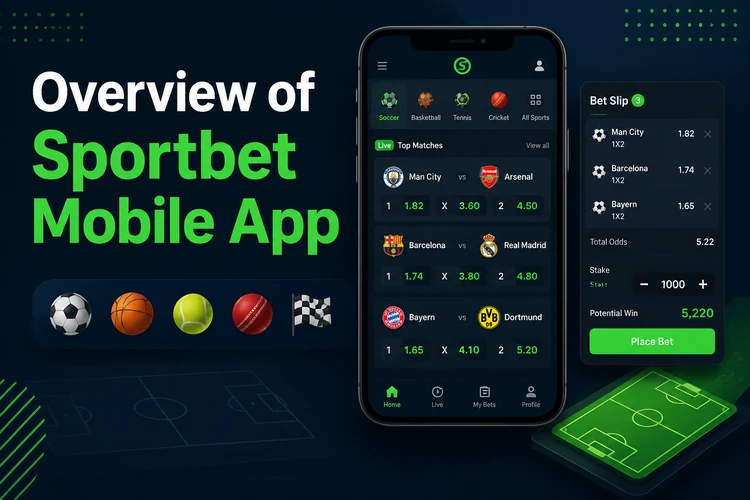
Most actions centre on the bet slip. You select odds from a match list, enter a stake and review the potential return before confirming. Singles and multiples are managed from the same area, while results, betting history and account transactions are available from the main menu.
It suits people who bet regularly, follow live matches on a phone or rely on mobile data. Someone who places an occasional weekend bet may find that the browser version already covers what they need.
Why Download Sportbet App
The main advantage is quicker access. Once the app is installed, you can open the sportsbook directly instead of finding the site in a browser and navigating back to the event you were following.
Screens are arranged for smaller displays, reducing the risk of tapping the wrong price. Notifications can provide account or match updates when enabled, although you should review their settings if you do not want frequent alerts. Deposits and withdrawal requests are managed through the account balance area using the payment options available to you.
How to Download the Sportbet App
Use the official download offered on this website. Third-party portals may alter or repackage APK files, creating an unnecessary risk to your password, payment details and account information.
Before starting, check that the displayed version is newer than any build already installed on your phone. A stable Wi-Fi or mobile connection also reduces the chance of receiving a partial file.
- Step 1: Open this page in your Android browser and tap the official download button.
- Step 2: Review the version number and file information shown beside the download.
- Step 3: Confirm the download when the browser asks. The APK will normally appear in the Downloads folder.
- Step 4: Open the file and follow the Android installation prompt. Allow installation from that browser if the system requests it.
- Step 5: Launch the app and sign in. You can use the login page if you need to recover access before installation.
Installing the Sportbet APK
An APK is the standard package format used to install Android software directly. The file should come from the official download source and should not be renamed, modified or transferred from an unknown device.
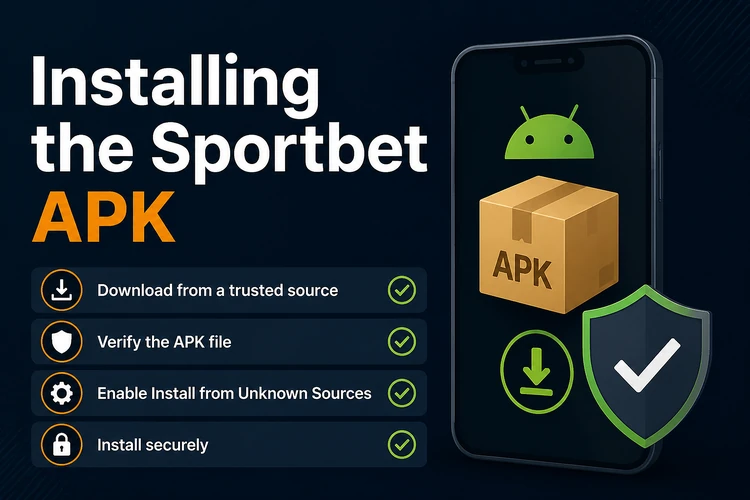
On Android 8 and newer, permission to install external packages is usually granted separately to the browser or file manager opening the APK. The installation prompt provides a shortcut to the relevant setting. Older phones may show a general unknown-sources setting under Security. You can disable the permission again when installation is complete.
Review every permission request rather than approving it automatically. Access that appears unrelated to betting or account operation should be denied until you can confirm why it is needed. Delete the installer after a successful setup to recover storage, and avoid any file described as modified, cracked or unlocked.
Sportbet Lite Version
Sportbet Lite is intended for entry-level phones and slower connections. It reduces demanding graphics and animation while retaining the main account and betting functions needed to find a market and complete a bet slip.
Lite may be more comfortable on a device with limited memory or an unreliable 3G connection. On a newer mid-range phone, the full version offers a richer interface. Availability and exact features can change by build, so check the options shown in the official download area.
| Feature | Full app | Lite version |
|---|---|---|
| Install footprint | Larger | Reduced |
| Data use | Standard | Lower |
| Prematch and live markets | Available | Available |
| Animations and graphics | Full interface | Simplified |
| Best suited to | Mid-range and newer phones | Entry-level phones or weak signals |
Android Requirements and Updates
The required Android version and installer size may change when a new build is released, so check the technical details beside the download button. Keep additional storage free for installation and cached data; Android needs more room during setup than the final app size alone suggests.
A stable connection helps live prices update correctly. Closing unused apps can improve performance on phones with limited RAM, while restarting the device often resolves problems caused by an overloaded background process.
Updates fix compatibility or stability issues and may improve account security. Install them from the same official source rather than using a file forwarded through a message or downloaded from another portal. A standard update should install over the existing build without removing your account history, which remains tied to your account.
Betting is for adults only, 18+. The responsible gambling information explains practical ways to set boundaries and seek support if betting stops being manageable.
Common Installation Problems
Most failed installations are caused by disabled install permission, insufficient storage, a partial download or an unsupported Android release. Check those points in order before changing other phone settings.
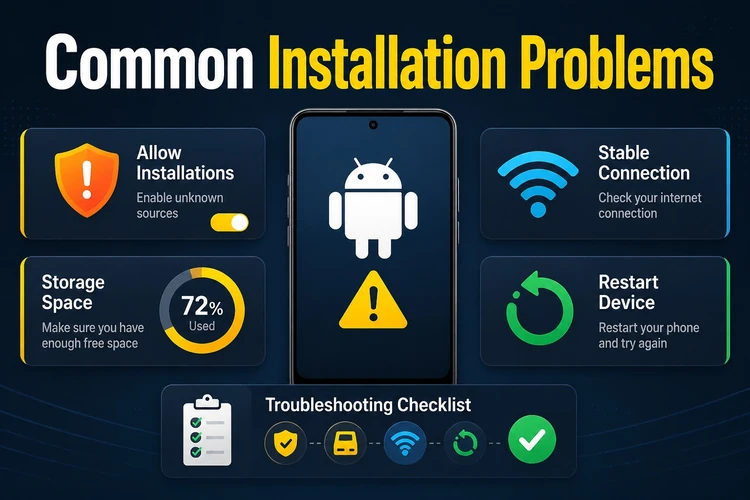
If the app installs but will not open, restart the phone and clear its cache without clearing account data. If it opens but rejects your details, reset the password instead of creating a second account. Duplicate accounts can complicate identity checks and access to funds.
When a download stops halfway, delete the incomplete file before trying again. If the problem continues, contact customer support and include the phone model, Android version, app version and exact error message. Do not send your password, PIN or one-time security code.
FAQ
Yes, there is no charge to download or install the app. Your mobile provider may charge for the data used, and money is required only if you choose to fund your betting account.
Download the official file from this page and open it from the Downloads folder. If Android blocks the installation, allow packages from the browser or file manager you used, complete the setup and disable that permission afterwards if preferred.
Lite is intended for entry-level phones, limited storage and slower connections. It uses a simpler interface while retaining the main betting functions. The full version is generally better suited to newer phones with more memory.
Yes. Use the same account details as on the website. Your balance, open bets and account history are linked to that account, so there is no need to register again.
The app provides access to available in-play markets. Account transactions, including withdrawal requests, are handled from the balance area using the payment methods shown for your account.
Requirements can change between releases. Check the Android compatibility and file size shown beside the official download, and keep extra free storage because installation and cached data require more space than the APK alone.